How to Choose the Best Kitchen Timer for Your Cooking Needs
Figuring out how to choose the best kitchen timer starts with admitting that the one built into your oven is not a strategy. It beeps once, you miss it, and the cookies burn. A dedicated timer sits where you work, survives floury hands, and lets you track more than one thing at a time.
The right model turns a chaotic stove into a station you control.
Mechanical dial timers drift by roughly two to five percent per hour according to manufacturer specifications, while quartz digital models hold within seconds per month. That gap matters when a custard needs exactly twelve minutes. Let’s walk through the types, the trade-offs, and the features that actually change how you cook.
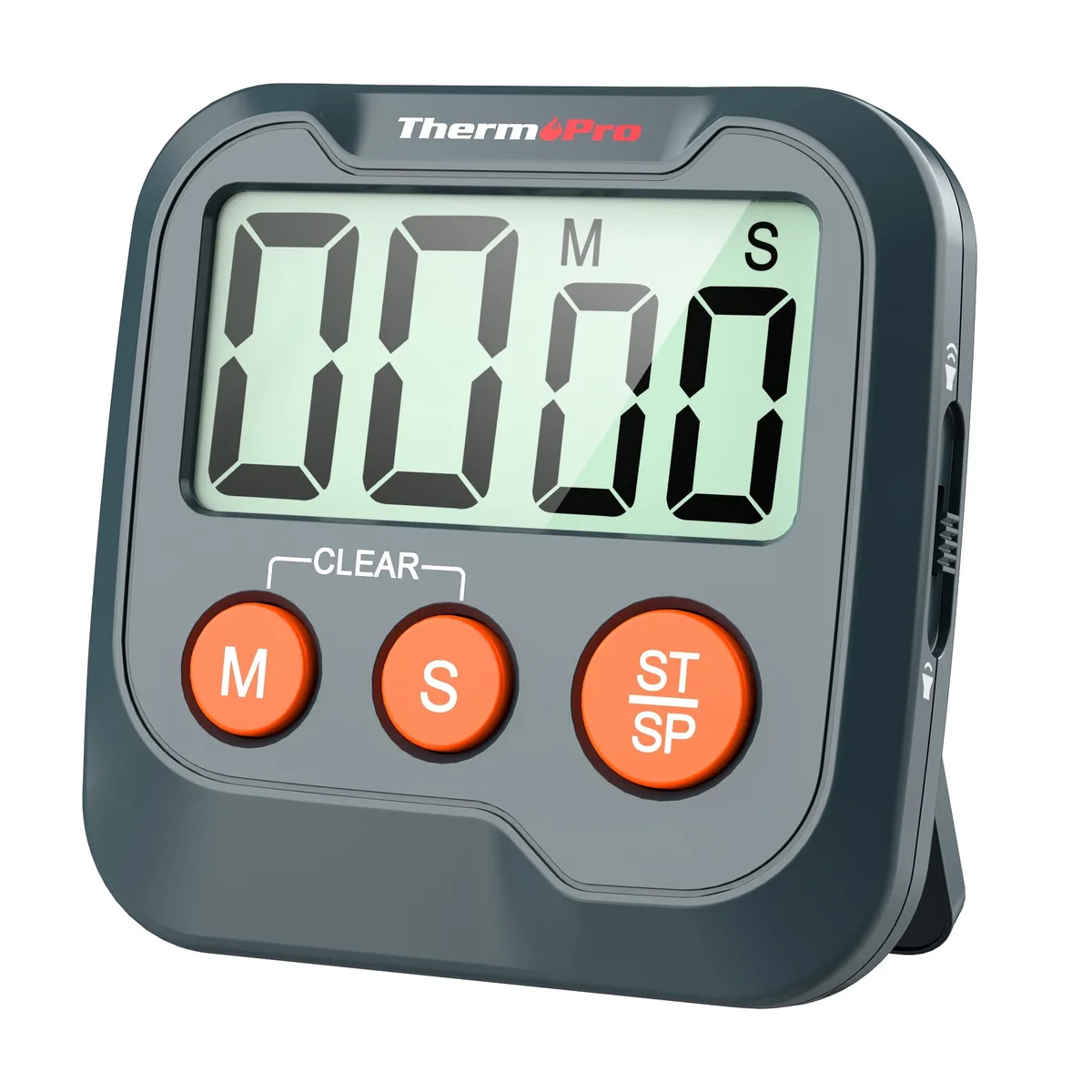
Image source: Web (Bing) / walmart.com (Web image (fair-use with source credit))
Quick Answer
Choose a timer that matches your cooking style. Bakers need precise seconds and memory recall. Grill masters need loud alarms and probe integration.
Multitaskers need multiple independent channels. Visual timers help with time blindness. Mechanical timers work without batteries.
Digital timers offer precision and volume control.
Why the Right Timer Changes How You Cook
A good timer removes the mental load of watching the clock. You set it, you forget it, you focus on technique. That shift matters most when you juggle a rising dough, a reducing sauce, and a resting roast at the same time.
Research from America’s Test Kitchen shows that cooks who use dedicated multi-channel timers report fewer overcooked proteins and more consistent bake results.
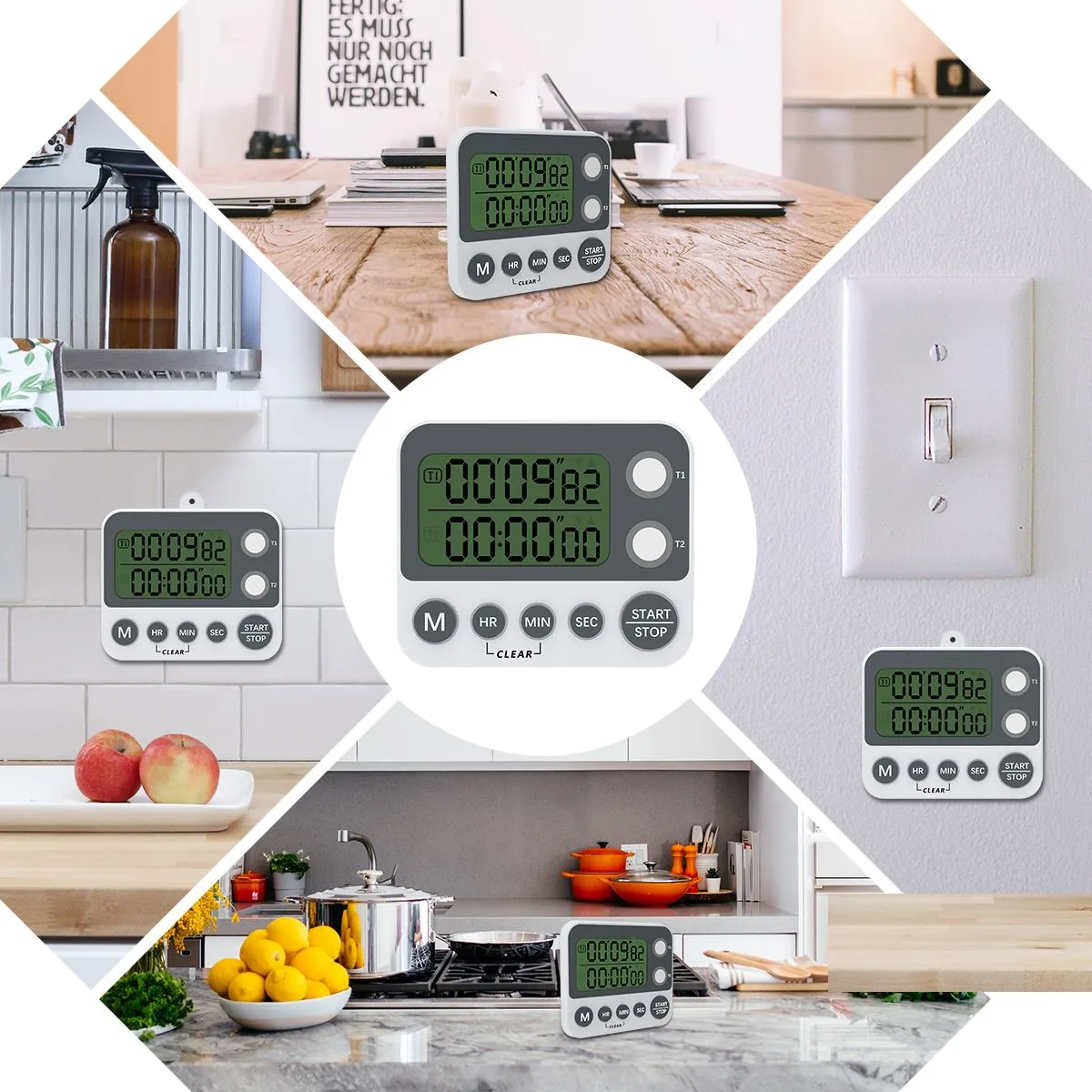
The oven timer fails because it ties you to one spot. A magnetic digital timer lives on the range hood. A clip-on mechanical timer rides the pot handle.
A probe timer travels with the meat. Each form factor solves a different workflow problem. The best timer is the one that disappears into your routine until it sounds.
Volume is the feature people undervalue until they miss an alarm. A typical range hood runs at sixty to seventy decibels. Timers rated below seventy-five decibels get lost in that noise.
Models like the ThermoWorks TimeStick hit ninety-five decibels at twelve inches. That difference saves dinner.
Mounting matters more than specs suggest. Weak magnets slide off stainless steel doors. Kickstands collapse when you slap the button.
Clips that grip a half-inch lip stay put. In our research, magnetic failure ranks as the top hardware complaint across retail reviews. A timer that falls into a burner becomes a hazard.
Battery chemistry dictates maintenance rhythm. Coin cells (CR2032) last six to twelve months but die without warning. AAA cells last one to two years and show a low-battery icon.
USB-C rechargeable units need a top-up every three to six months with heavy use. Pick the rhythm you will actually maintain.
Timer Types Broken Down: Mechanical, Digital, Multi-Channel, Visual, Probe, and Smart
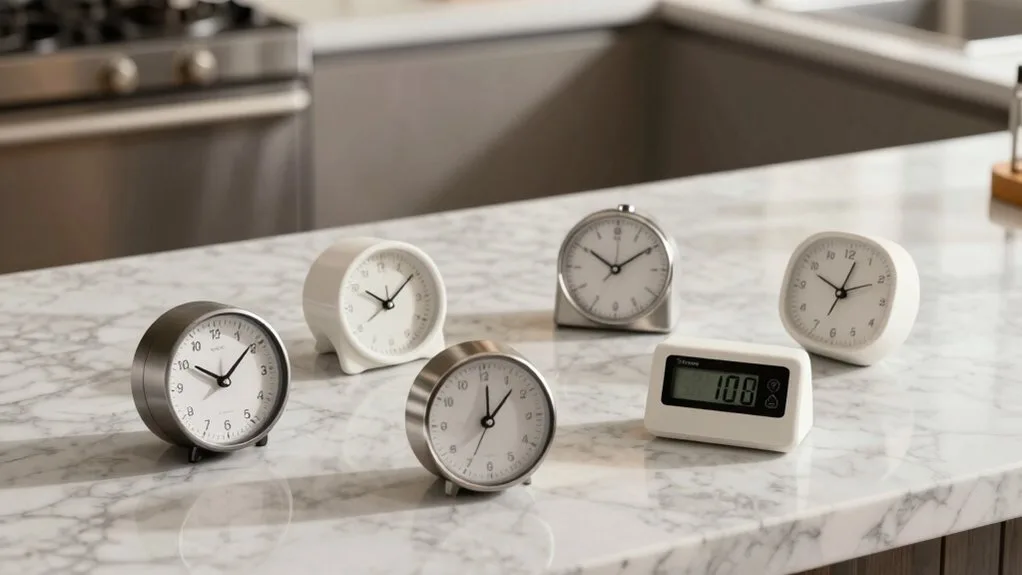
Mechanical Dial Timers
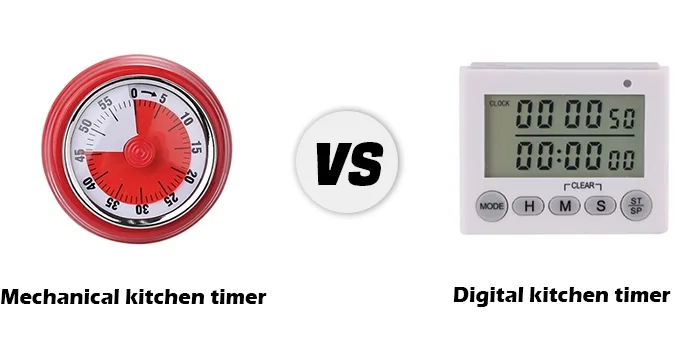
Spring-wound dials need no power. You twist the knob to the minute mark, it ticks down, it rings. The tactile spin is fast, one motion sets forty-five minutes.
Accuracy drifts over time. Most models max out at sixty minutes. No seconds display.
No memory. No mute. They survive drops onto tile.
They work with wet, floury, greasy hands. Brands like Taylor and KitchenAid dominate the ten-to-fifteen-dollar tier.
Digital Single-Channel Timers
LCD or LED display, buttons for hours, minutes, seconds. Countdown and count-up (stopwatch) modes. Memory recall brings back the last set time with one press.
Alarm volume often adjustable. Magnetic back, kickstand, or clip. Battery life one to two years on AAA.
Accuracy within seconds per month. Price range eight to twenty-five dollars. OXO Good Grips and ThermoWorks TimeStick lead the category.
Multi-Channel Timers
Two, three, or four independent countdowns on one screen. Each channel gets its own label (A, B, C, D or custom names). Essential for parallel cooking, pasta, sauce, bread, timer for the table.
Interface complexity varies. Cheap models bury channel switching in menus. Good ones put dedicated start/stop buttons per channel.
ThermoWorks T-30 and Polder Classic are benchmarks. Thirty to sixty dollars.
Visual Timers
A diminishing colored disk shows time passing as space, not numbers. Time Timer is the known brand. Originally built for classrooms and ADHD support.
Now adopted by bakers who want a glanceable “how much left” without reading digits. No loud alarm on base models, visual only or soft chime. Battery life varies.
Twenty to forty dollars.
Probe Timers (Thermometer + Timer Combo)
A stainless steel probe plugs into the base unit or transmits via Bluetooth. You set a target temperature and a fallback time alarm. The unit alerts when the meat hits temp.
Critical for grill, smoker, and roast work. Wire failure at the probe hinge is the common failure mode on sub-thirty-dollar units. ThermoWorks Dot and Smoke lines set the reliability standard.
Forty to one hundred dollars.
Smart Timers (App / Voice Connected)
Bluetooth or Wi-Fi linked to a phone app or smart speaker. You say “set timer twelve minutes” with raw chicken on your fingers. The app shows multiple timers, history, and remote alerts.
Dependency is the weakness, phone dead, Bluetooth dropped, app update breaks pairing. Most still lack a physical button for quick cancel. Fifty to one hundred twenty dollars.
Side-by-Side Comparison: What Each Type Actually Delivers
| Feature | Mechanical Dial | Digital Single | Multi-Channel | Visual Disk | Probe Timer | Smart Timer |
|---|---|---|---|---|---|---|
| Power source | None (spring) | AAA / coin cell | AAA / coin cell | AA / coin cell | AAA / rechargeable | Rechargeable / phone |
| Max countdown | 60 min | 99:59 or 24 hr | 99:59 per channel | 60–120 min | 24+ hr + temp | App dependent |
| Alarm volume | Fixed, mechanical | 70–95 dB adjustable | 70–95 dB per channel | Soft chime / none | 85–95 dB | Phone speaker |
| Seconds display | No | Yes | Yes | No | Yes | Yes |
| Memory recall | No | Yes (last time) | Yes (per channel) | No | Yes (targets) | Yes (cloud) |
| Wet-hand friendly | Yes (dial) | Buttons only | Buttons only | Touch / dial | Buttons / probe | Voice / phone |
| Drop durability | High | Medium | Medium | Low | Medium (probe weak) | Low (screen) |
| Price range (USD) | $5–15 | $8–25 | $30–60 | $20–40 | $40–100 | $50–120 |
| Best for | Simplicity, no batteries | Precision, loud alarm | Parallel tasks | Time blindness | Meat doneness | Hands-free start |
The table reveals the real trade-offs. Mechanical wins on zero maintenance. Digital single-channel wins on price-to-performance.
Multi-channel wins on workflow capacity. Visual wins on cognitive load. Probe wins on food safety.
Smart wins on hands-free initiation. No single type wins every column.
Best Timer for Your Cooking Style: Baker, Grill Master, Multitasker, Accessibility Needs, and More
The Baker
You need seconds precision for macarons, memory recall for repeated batch times, and a loud alarm that cuts through a stand mixer. A digital single-channel with memory (OXO Good Grips, ThermoWorks TimeStick) covers ninety percent of bakery work. Add a second unit if you proof dough while baking.
Mechanical dials lack seconds. Multi-channel adds complexity you rarely use.
The Grill / Smoker Operator
You need a probe timer. Period. Target temperature alarm beats time-based guesswork every run.
Wireless probe (ThermoWorks Smoke, Meater) lets you monitor from the porch. Wired probe (ThermoWorks Dot) costs half as much and never drops signal. Ensure the probe cable is rated for five hundred degrees Fahrenheit at the grate clip.
Cheap probes fail at the hinge inside six months.
The Stovetop Multitasker
Four burners, four things happening. Pasta at nine minutes, sauce at fifteen, garlic bread at eight, vegetables at six. A three- or four-channel timer with dedicated start/stop per channel prevents the “which beep was which” panic.
Label channels with a dry-erase marker on the screen bezel. ThermoWorks T-30 and Polder Classic are the two models that get this right consistently.
The Visual Thinker / ADHD Support
Time blindness makes numeric countdowns abstract. A diminishing disk (Time Timer) shows “this much left” as a shrinking pie slice. No mental math.
Place it in peripheral vision. The base model is silent, pair with a phone alarm for the hard stop. The twelve-inch wall version works for whole-kitchen visibility.
Battery life is one year on AA.
The Senior / Low-Vision Cook
Large high-contrast digits (one-half inch minimum), tactile buttons with raised legends, and a single “start/stop” button that cannot be confused. Voice confirmation (“timer set, fifteen minutes”) adds assurance. The Reizen Talking Timer and MaxiAids Big Button Timer serve this niche.
Avoid touchscreens. Avoid coin cells, battery doors defeat arthritic fingers.
The Minimalist / Backup Only
One mechanical dial on the fridge. Zero batteries. Zero menus.
Sets in one spin. Loud enough for a small kitchen. Fails gracefully, it just runs slow.
Costs six dollars. Keeps you honest when the digital fleet dies. Taylor Classic is the ubiquitous choice.
The Decision-Making Features: Volume, Mounting, Battery, Durability, and Interface
Alarm Volume and Tone
Look for a published decibel rating at twelve inches. Seventy decibels is a quiet office. Eighty-five is a busy restaurant.
Ninety-five is a motorcycle passing. If you cook with a range hood on high, you need ninety-plus. Tone matters too.
A piercing beep startles kids and pets. A lower-pitched chime carries through walls without the spike. Some models (ThermoWorks TimeStick, OXO) offer three tone choices.
Test before you trust.
Mounting System
Magnet strength varies wildly. Neodymium magnets hold through a tea towel on a stainless hood. Ferrite magnets slide off a vertical oven door.
Kickstands need a wide base and rubber feet. Clips need a jaw opening of at least half an inch for pot handles and shelf lips. Lanyard holes allow a nail on the wall.
In our research, magnetic failure is the number-one hardware return reason. Buy a timer with a mounting system that matches your surfaces.
Battery Type and Life
Coin cells (CR2032) keep the unit thin but die silently. AAA alkaline gives a low-battery icon and a year-plus life. USB-C rechargeable eliminates waste but adds a charging ritual.
If you forget to charge your phone, you will forget to charge your timer. Match the battery chemistry to your actual habits. A timer with dead batteries is a paperweight.
Drop and Splash Resistance
Counters are tile. Timers fall. Mechanical dials survive a three-foot drop.
Digital units with recessed screens and rubberized corners survive. Glass-faced visual timers crack. Probe units fail at the cable junction.
Splash resistance matters when you wipe the face with a wet cloth. No kitchen timer is submersible. IPX4 (splash proof) is the practical ceiling.
Wipe, don’t soak.
Interface: Buttons vs. Touch vs. Dial
Physical buttons with tactile click work with floury fingers. Capacitive touch does not. Membrane buttons (flat, no travel) need a fingernail.
Mechanical dials are the gold standard for speed, one spin, done. Voice control works until the internet drops. Choose the interface that works with your hands at their messiest.
That is the real test.
Common Buying Mistakes: Weak Magnets, Coin-Cell Surprises, Touchscreen Frustration
Weak Magnets That Slide Off Stainless
Many timers ship with ferrite magnets that cannot hold through a tea towel on a vertical stainless hood. The timer slides down, hits the burners, and cracks. Neodymium magnets solve this.
Check the product description for “rare earth” or “neodymium” before buying. If the spec is silent, assume weak. A timer that cannot stay put is a timer you will not use.
Coin Cells That Die Without Warning
CR2032 cells last six to twelve months but rarely trigger a low-battery icon. The timer simply blanks mid-cook. Aggregate reviews show this as the top complaint for slim digital models.
If you choose coin cell, keep a spare in the drawer. Better: pick a model with AAA cells and a visible low-battery indicator. The extra thickness is worth the warning.
Touchscreens That Fail With Wet Hands
Capacitive touch panels need clean, dry skin. Flour, oil, or water breaks the circuit. You stab the screen, nothing happens, the roast overcooks.
Physical buttons with tactile click work every time. Membrane buttons (flat, no travel) need a fingernail and fail with gloves. In our research, touchscreen returns spike during holiday baking season.
Avoid them for primary kitchen timers.
Channel Confusion on Multi-Channel Units
Cheap four-channel timers bury start/stop behind a mode button. You press “Start” but Channel B is active, not Channel A. The beep sounds, you cancel the wrong one.
Good models give each channel a dedicated start/stop button. Labels help. Some users add colored tape.
If you cannot tell which channel is running at a glance, the timer adds stress.
Probe Cable Failure at the Hinge
Sub-thirty-dollar probe timers use thin silicone wire that fatigues where it enters the probe handle. Six months of grill lid openings and the reading drifts or dies. ThermoWorks and Smoke lines use reinforced strain relief and field-replaceable probes.
Pay the premium if you grill weekly. A dead probe mid-smoke ruins a twelve-hour cook.
No Mute Option for Visual-Only Needs
Some digital timers lack a silent mode. The alarm beeps even when you only want a visual cue. This wakes sleeping babies and startles pets.
Check the manual for “mute,” “silent,” or “vibrate” before buying. Visual timers (Time Timer) are silent by design but often lack a loud backup alarm. Pair them with a phone alert for the hard stop.
Price Tiers and What You Get at $10, $25, $50, and $80+
| Tier | Typical Models | What You Gain | What You Still Lose |
|---|---|---|---|
| $10–15 | Taylor Mechanical, Basic Digital (Polder, KitchenAid) | Mechanical: zero batteries, survives drops. Digital: seconds, memory, magnet. | Mechanical: no seconds, drift. Digital: coin cell, quiet alarm, weak magnet. |
| $20–30 | OXO Good Grips, ThermoWorks TimeStick (sale), Cube Timers | Loud alarm (85–90 dB), AAA battery, strong magnet, tactile buttons, memory. | Single channel only. No probe. No visual disk. |
| $40–60 | ThermoWorks T-30, Polder Classic, Time Timer 12″ | 3–4 independent channels, dedicated buttons per channel, probe option (T-30), visual disk. | No wireless probe. No app. Plastic housing. |
| $80–120 | ThermoWorks Smoke, Meater Block, TimeStick Pro | Wireless dual probe, 300 ft range, smartphone gateway, rechargeable base, commercial durability. | App dependency. Higher complexity. Overkill for home stove. |
The $25 tier is the sweet spot for most home cooks. You get a loud alarm, reliable battery, strong mount, and tactile buttons. The $50 tier adds channels or a probe, buy only if you actually run parallel cooks or grill weekly.
The $100 tier is for serious outdoor cooking. Diminishing returns set in fast above $60 for indoor use.
Final Decision Guide: Match Your Workflow to the Right Tool
If You Bake Precise Items Weekly
Get a digital single-channel with memory recall and seconds display. OXO Good Grips or ThermoWorks TimeStick. Keep a mechanical dial as a zero-battery backup.
Skip multi-channel, you rarely run four timers while baking. Skip probe, oven temp is not meat temp.
If You Grill or Smoke Weekly
Get a wireless probe timer. ThermoWorks Smoke (dual probe, dedicated receiver) or Meater Block (four probes, phone gateway). The dedicated receiver works without a phone.
The probes survive 500 °F grate clips. Budget $80, 120. A cheap wired probe will fail at the hinge.
If You Cook Stovetop Meals With Three Plus Components
Get a three- or four-channel timer with dedicated start/stop per channel. ThermoWorks T-30 or Polder Classic. Label channels with dry-erase marker.
Mount on the range hood. The $50 spend saves you from the “which beep” game every night.
If You Struggle With Time Blindness
Get a visual timer (Time Timer 8″ or 12″). The shrinking disk shows “how much left” without numbers. Pair with a phone alarm for the hard stop.
Battery is one AA per year. No loud alarm on base model, that is a feature, not a bug.
If You Need Hands-Free Start With Raw Hands
Use your smart speaker. “Hey Google, set timer twelve minutes.” It works. It is free. It lacks a physical cancel button and a visual countdown.
Keep a magnetic digital timer on the hood for the moments when voice fails. Hybrid workflow wins.
If You Want One Timer That Does Everything Acceptably
ThermoWorks TimeStick (single channel) or T-30 (three channel). Loud, magnetic, AAA battery, tactile buttons, memory, probe jack on T-30. Made in USA, calibrated, supported.
Price $25, 55. It is the only timer many pros keep on their station.
Frequently Asked Questions
How loud should a kitchen timer be?
A kitchen timer should hit at least 85 decibels at twelve inches to cut through a range hood. Models rated 90, 95 dB are ideal for open kitchens or outdoor grilling. Check the manufacturer spec; many budget units omit this number.
Can I use my phone instead of a dedicated timer?
You can, but phones lock screens, run out of battery, and get buried in recipe apps. A dedicated timer mounts at eye level, survives floury hands, and starts with one physical action. Phones are a backup, not a primary.
What battery lasts longest in a kitchen timer?
AAA alkaline cells last one to two years and show a low-battery icon. Coin cells (CR2032) last six to twelve months with no warning. USB-C rechargeable units need charging every three to six months.
AAA is the lowest-maintenance choice.
Are mechanical timers accurate enough for baking?
Mechanical timers drift two to five percent per hour. On a forty-minute bake that is up to two minutes off. For custards, macarons, or bread, that margin matters.
Use a quartz digital timer for precision work. Keep mechanical as a backup.
Do I need a probe timer for roast chicken?
A probe timer guarantees the bird hits 165 °F in the thigh without guesswork. An instant-read thermometer works if you check early and often. The probe timer removes the door openings that drop oven temp.
It is worth it for large roasts.
Can kitchen timers go in the dishwasher?
No. No kitchen timer is submersible. Wipe the face with a damp cloth.
Submersion kills the electronics and rusts the mechanical spring. Splash resistance (IPX4) handles a wipe, not a soak.